Everything You Need to Write Your Best Work
Writer Hollow brings clarity, structure, and flow to your writing process — without the clutter or overwhelm.
Organize Your Stories With Total Clarity
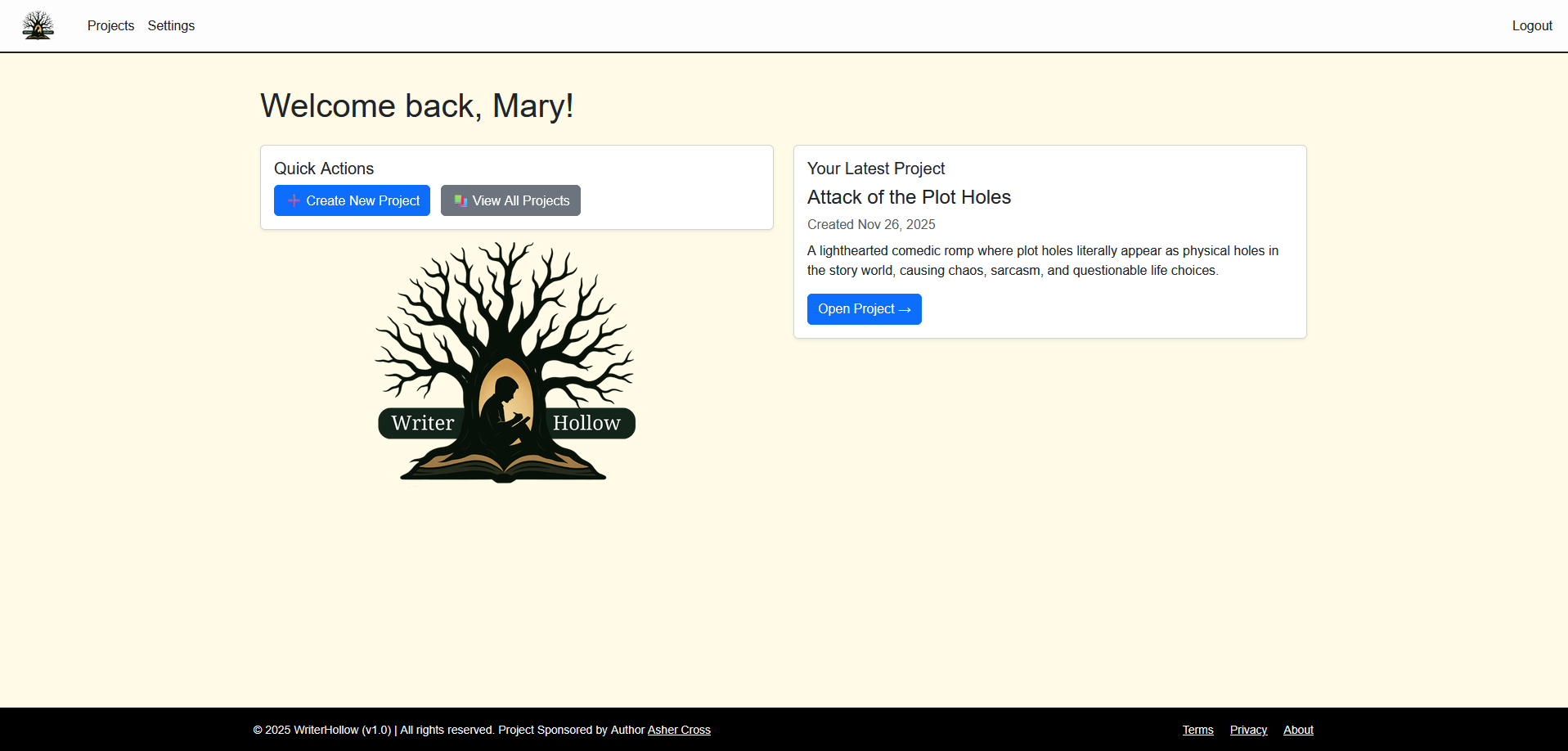
The Project Dashboard gives you a clean, visual overview of everything you’re working on. Quickly see your latest updates, word counts, and progress — all in one place.
Highlights:
Clean, distraction-free overview
Quick actions: Create project, view all projects
Project cards with word count & status
Auto-sorting by recent activity
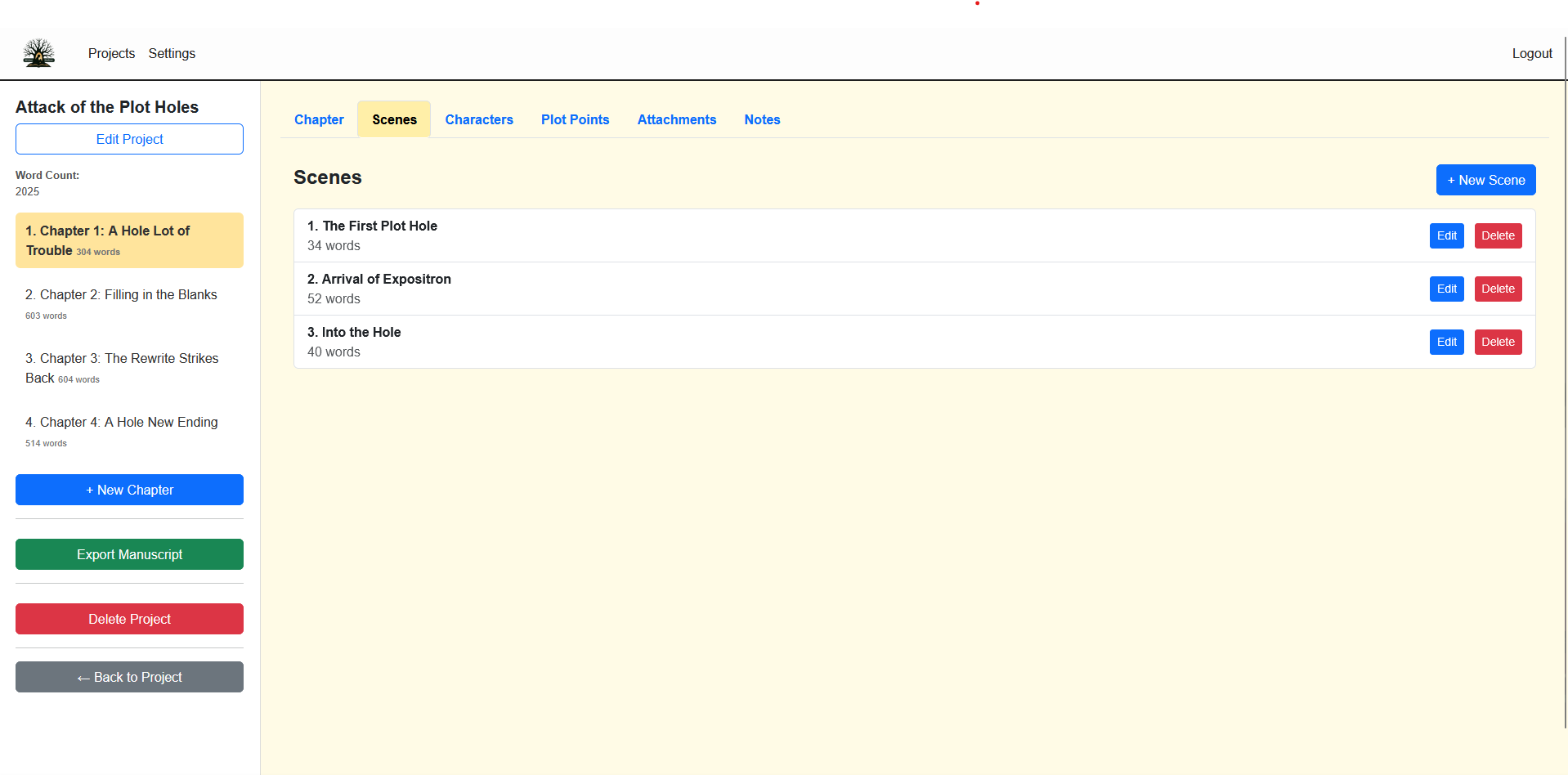
Build Your Story One Chapter at a Time
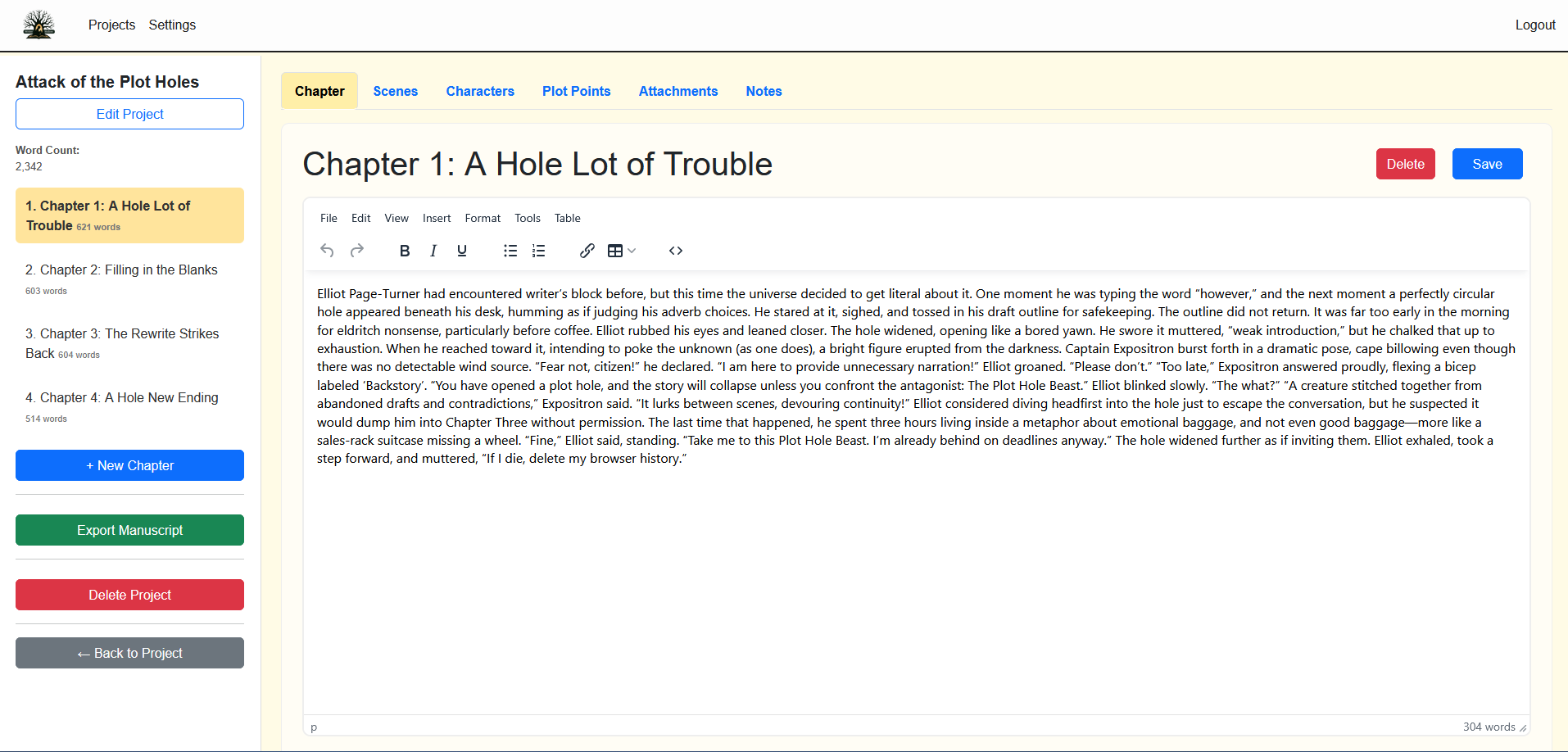
The Project Dashboard gives you a clean, visual overview of everything you’re working on. Quickly see your latest updates, word counts, and progress — all in one place.
Highlights:
Clean, distraction-free overview
Quick actions: Create project, view all projects
Project cards with word count & status
Auto-sorting by recent activity
Character Manager
Build Characters With Depth and Consistency
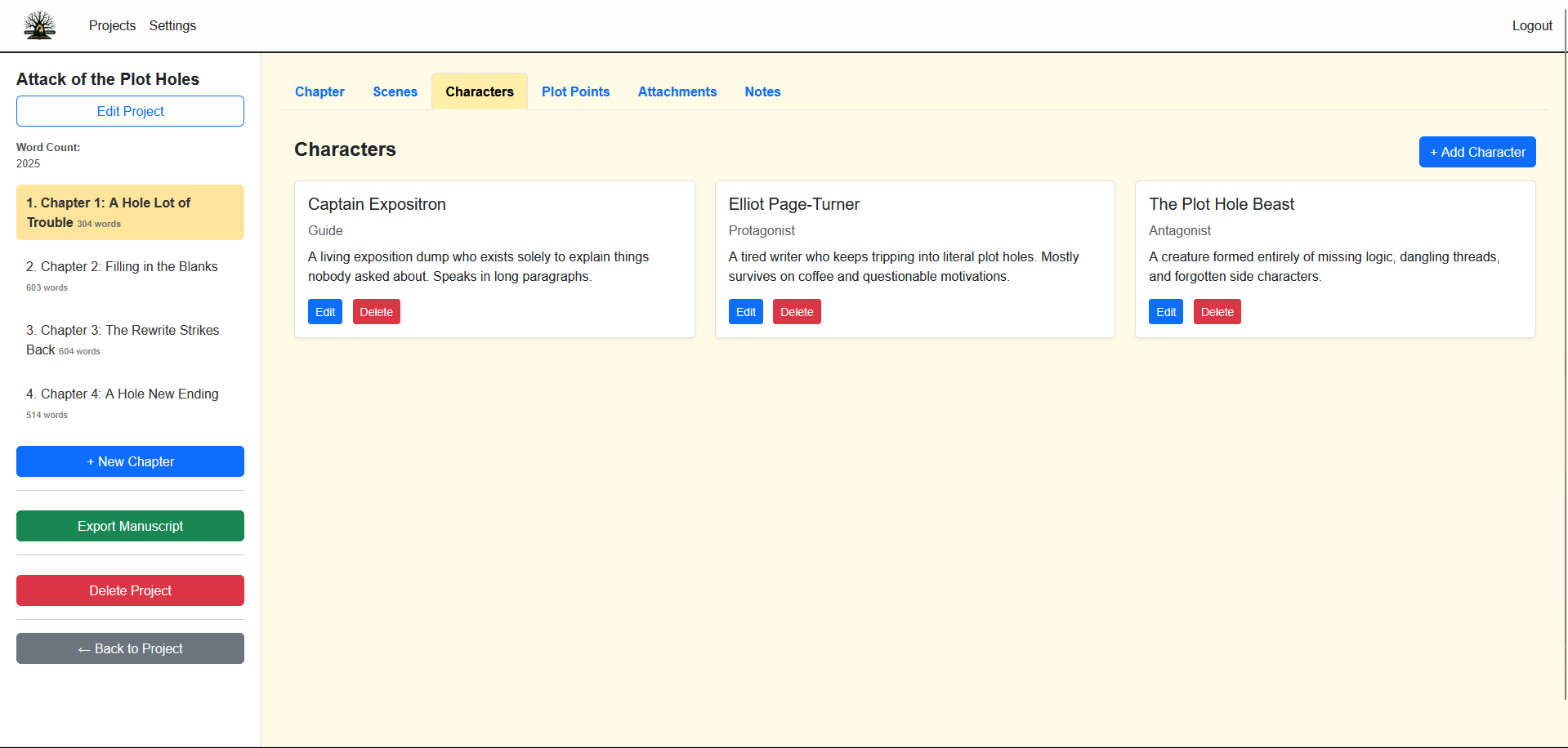
Store all your character details in one beautifully organized place.
From roles to descriptions, you have everything at your fingertips.
Highlights:
Character cards with names, roles & bios
Full character sheets for detailed notes
Link characters to projects effortlessly
Clean, simple UI
NEW! Integrated AI Assistance
Your Creative Companion, Powered by Your Own AI Account
Writer Hollow now includes optional AI-assisted tools designed to help you brainstorm faster, stay organized, and break through tough writing moments — while keeping you fully in control.
Use AI to summarize chapters, generate outline variations, develop character prompts, explore scene ideas, or refine worldbuilding details — all without replacing your own creativity.
Highlights:
Smart prompts for planning, brainstorming, and organizing
Context-aware suggestions within each project
Cleaner, faster idea development
Helps clarify scenes, plots, and characters
Fully optional — enhances writing without taking over
Important Note (Fine Print):
Writer Hollow does not include built-in AI usage.
To enable AI features, you must connect your own OpenAI API key inside your account settings.
This keeps the platform free and ensures you control all usage/costs.